
Spinning Fire: A Guide to Steel Wool Photography
I think steel wool photography creates some of the most amazing images you can capture
Share the Love This Valentine’s Day – 25% Off


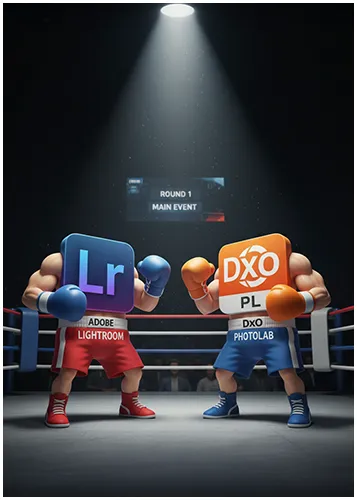

As a photographer, I know it can be a real challenge to choose the right software for your style and budget. With so many options on the market, it’s easy to feel lost. That’s especially true when you’re looking at two big names like DxO PhotoLab vs Adobe Lightroom.
Both programs are excellent, but they go about things in slightly different ways. I’ve spent a lot of time working with both, and I’m excited to share a deep dive into what makes each one special.
This article will break down all the key features, from noise reduction and RAW processing to how they handle your photo library, so you can decide which one is the perfect fit for your photography journey.
Understanding the differences between DxO PhotoLab and Adobe Lightroom is essential. Both turn RAW files into amazing images but in different ways. Which one you choose will affect your editing style and needs.
Choosing between these RAW editors depends on your workflow, budget, and editing needs. Each has strengths for different photography styles and needs.
DxO PhotoLab is known for its optical corrections and automatic enhancements. It uses a big database of camera and lens profiles for precise corrections.
With the latest version you will see it has faster processing speeds, making your editing process smoother and faster than before.
Adobe Lightroom Classic has been the top choice for photographers for years. It has powerful tools and a great digital asset management system.
It’s excellent for managing your workflow and works well with other Adobe apps. It has years of improvement and a big community to help you learn the ins and outs.
Both offer great editing tools but in different ways. DxO focuses on automatic corrections and lens optimizations. It makes smart adjustments based on your camera and lens.
Lightroom Classic gives you more control over adjustments. You can tweak your images with sliders and tools that are industry standards.
| Feature Category | DxO PhotoLab | Adobe Lightroom | Key Differences |
|---|---|---|---|
| Pricing Model | One-time purchase | Monthly subscription | Ownership vs. subscription access |
| Lens correction | Automatic database-driven corrections are enhanced by the denoising features in DxO software. | Manual and profile-based corrections | Automation level and precision |
| Noise Reduction | DeepPRIME AI technology | AI-powered denoise feature | Processing algorithms and quality |
| Workflow Management | Folder-based organization | Catalog-based system | File organization philosophy varies between software |
| Mobile Integration | Limited mobile options | Full mobile app ecosystem | Cross-device accessibility |
The right RAW processor software depends on your needs. Think about your budget, workflow, photography goals, and how you can use DxO to optimize your workflow.
Your editing style is also important. DxO is excellent for automated corrections and optical precision. Lightroom Classic is better for workflow manage

Looking to stretch your budget? We’ve got good news! Use the SPECIAL code whosaid15 for an extra 5% off
When you’re shooting in low light, the right noise reduction software is going to help calm down the grain. DxO PhotoLab and Adobe Lightroom both use AI to fight high ISO noise. Knowing how they differ helps you pick the best tool for your photos.
DxO’s DeepPRIME uses deep learning to spot real details and noise. It’s great for certain cameras and lenses in the DxO combination.
Lightroom’s AI Denoise beats others in tough situations. At 6400 ISO, it outshines Topaz Labs and DxO PureRAW3. It keeps colours and star details sharp.
Lightroom’s AI makes quick work of selecting subjects and backgrounds, while DxO’s excels in denoising. You don’t need to tweak it much. It works well on many types of images.
DxO PhotoLab now includes AI-enabled ultra-precise masking and enhanced subject selection capabilities.
DxO PhotoLab and Lightroom both excel in raw processing but in different ways. DxO uses camera and lens profiles for top image quality right from the start. It adjusts based on your camera and lens combination.
Lightroom focuses on flexibility and control in raw processing. It might need more manual work but gives you more freedom.
DxO’s Control Points let you adjust specific areas with precision. It automatically blends adjustments smoothly.
Lightroom has tools like radial and graduated filters for local adjustments. Its AI masking makes these tools more accurate. You can layer adjustments for complex edits with control.
Choosing between DxO and Lightroom depends on your workflow and whether you prefer using presets or manual adjustments. DxO is for those who want total control over their edits. Lightroom is for those who like to control their edits with little to no fuss.

Your editing workflow is key to your photography business. It shows how well you can handle images from start to finish. DxO PhotoLab and Adobe Lightroom have different ways to manage your photos, each suited for different styles.
Adobe Lightroom uses a detailed catalogue database for your images. This makes searching and organizing easy, regardless of where your files are. You can make collections and filters that work across different drives.
DxO PhotoLab uses folders instead. Many find this system easier to use and less prone to corruption. It works directly with your file system, making it feel natural.
The folder-based system has big advantages:
Lightroom is great at handling metadata, with powerful keyword tools. You can create and apply keywords easily, making it simple to find images.
PhotoLab has basic metadata support but focuses on editing. It lets you view and edit EXIF data and basic keywords. But it doesn’t have Lightroom’s advanced keyword features.
PhotoLab is excellent for raw conversions and basic metadata. You can customize your import profiles and favourite editing tools for a cleaner interface.
Lightroom has advanced tools for selecting and rating images. It uses star ratings, colour labels, and flags to organize. This makes it easy to sort through many photos.
PhotoLab has a simpler way to select images. Its rating system meets basic needs but lacks Lightroom’s features. The module system is logical, with editing options organized.
Both platforms have flexible export options. But PhotoLab might lack Lightroom’s advanced file naming. Exporting multiple images with the same settings is still efficient in both.
Choosing between DxO PhotoLab and Adobe Lightroom is more than editing. It’s about the whole creative process. Each program has its own way of integrating into your workflow.
Adobe Lightroom is great for its Creative Cloud link. It works smoothly with Photoshop for detailed editing. Switching between apps like ON1 and Skylum Neo is easy and fast.
DxO PhotoLab has a unique approach. It’s deeply connected with Nik Collection tools like Silver Effects and Colour Efex. This combination makes a strong but focused system.
Lightroom is strong in mobile and cloud use. You can edit on your phone and finish on your computer. Everything stays in sync across devices.
The mobile app lets you edit RAW files right away. Your changes show up on all devices. This app is perfect for photographers using different platforms.
DxO doesn’t have cloud features. Its focus is on desktop use. However, you can send images to any mobile app you like.
For Mac users, PhotoLab is optimized for Apple Silicon. It uses the Neural Engine for faster work. This makes it run well on new Macs.
The Nik Collection works well with both programs. But DxO PhotoLab has better integration since DxO owns Nik.
DxO FilmPack is a standout in PhotoLab. It gives you lots of film looks right in the app. The Time Machine feature adds looks from different decades.
Here are the main integration options for each program:
When deciding between Lightroom Classic and DxO PhotoLab, think about your workflow. Lightroom is best for cloud and Creative Suite. PhotoLab is for specialized tools and desktop use.
Both support standard camera raw formats. They also let you export to other apps easily. Your choice depends on whether you prefer Adobe’s system or DxO’s.
Your editing experience is greatly influenced by how these programs handle tough tasks. Both have made big strides in recent years. At the time of writing this article, DxO just added AI and made huge improvements in speed.
| Performance Aspect | DxO | Lightroom | Key Differences |
|---|---|---|---|
| Raw File Processing | Fast with Apple Silicon optimization | Consistent across all platforms | PhotoLab excels on Mac hardware |
| Automatic Corrections | Smart Lighting, lens corrections applied instantly | Manual application required | PhotoLab saves time with auto-optimization |
| High ISO Performance | DeepPRIME processing integrated | AI Denoise as separate step | PhotoLab handles noise reduction seamlessly |
| Memory Usage | Efficient with large files | Smart previews reduce memory load | Different approaches, similar results |
Import speeds differ between these apps. PhotoLab does automatic corrections, like lens corrections and Smart Lighting. Your images look great right away.
Lightroom imports fast with little processing. You can set up import settings to fit your needs. It’s about whether you want quick optimization or control.
Daily editing tasks show the real performance gap. PhotoLab’s interface is quick to respond to changes such as sharpen and pixel corrections. It handles complex edits smoothly.
Lightroom is known for consistent performance on different hardware. Adobe’s optimization means stable editing even with many adjustments. You shouldn’t see lag when making multiple changes.
Both apps now support real-time editing without stopping your flow. Waiting for adjustments to process is mostly gone. Your choice is more about what features you want than performance.
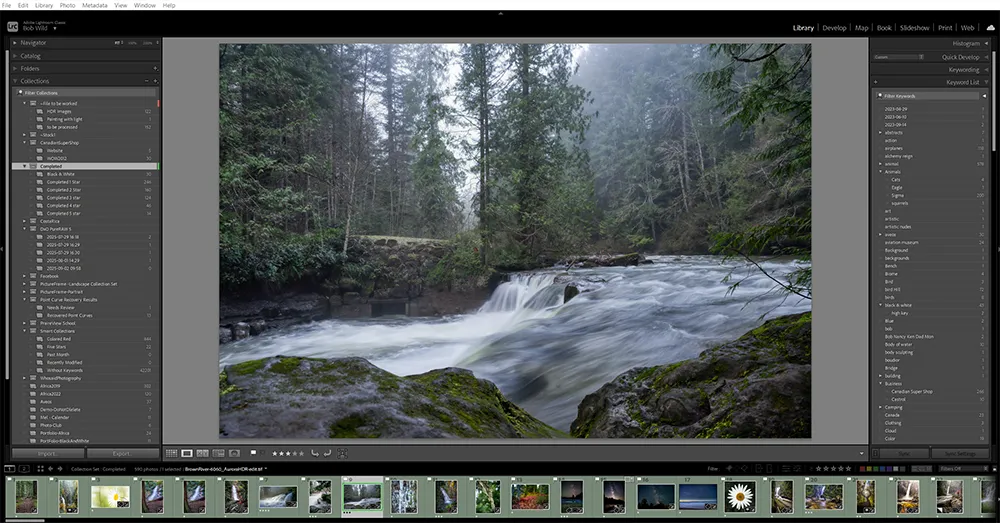
When choosing between DxO PhotoLab and Adobe Lightroom, there is a difference in pricing. Adobe Lightroom is a monthly subscription whereas PhotoLab is single purchase
This choice is more than just money. It shows how much you value owning software versus always getting updates and cloud services.
With DxO PhotoLab, you pay a single, one-time fee to own a specific version of the software. It’s like buying a camera body—it’s yours for life. The main benefit is that you avoid continuous monthly or yearly payments.
You have full control over your expenses. However, if you want the latest features and support for new cameras, you’ll have to pay a reduced fee for an upgrade when a new version is released.
Adobe’s model is all about the subscription. You pay a recurring monthly or yearly fee for access to the software. If you stop paying, you lose access. The benefit is that you always have access to the latest version, which includes new features and camera support immediately upon their release.
This model also bundles other essential tools, like Photoshop, offering a comprehensive creative suite. For many, the downside is the feeling of a never-ending payment, where you’re never truly finished paying for the software.
Choosing between DxO PhotoLab and Adobe Lightroom Classic depends on your photography needs, budget.
DxO PhotoLab is great for those who want top-notch image quality without monthly fees. It offers excellent lens corrections and noise reduction, beating many competitors.
Adobe Lightroom Classic is best for those who need a seamless ecosystem and advanced AI tools. Its camera raw processing and organizational features are perfect for big image collections.

Yes, DxO PhotoLab can replace Lightroom for many photographers. It offers powerful RAW processing, noise reduction, and lens corrections. However, Lightroom excels in cataloging and cloud integration, so the choice depends on whether editing tools or photo organization matter more to your workflow.
Yes, DxO PhotoLab can edit JPEGs. While it’s best known for RAW processing, DxO also supports JPEG files, allowing you to adjust exposure, colors, sharpness, and apply corrections. Keep in mind that editing flexibility is greater with RAW compared to JPEG.
I think steel wool photography creates some of the most amazing images you can capture

Long exposure photography is a technique that uses slow shutter speeds to capture silky smooth

The first time I went to the Medicine Bowls in Courtenay, it felt like a