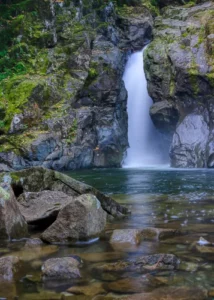
Medicine Bowls Courtenay: Waterfalls, Swimming & Access
The first time I went to the Medicine Bowls in Courtenay, it felt like a





The RAW File Support feature of Luminar Neo Noiseless AI is an unspoken hero in the world of photo editing:
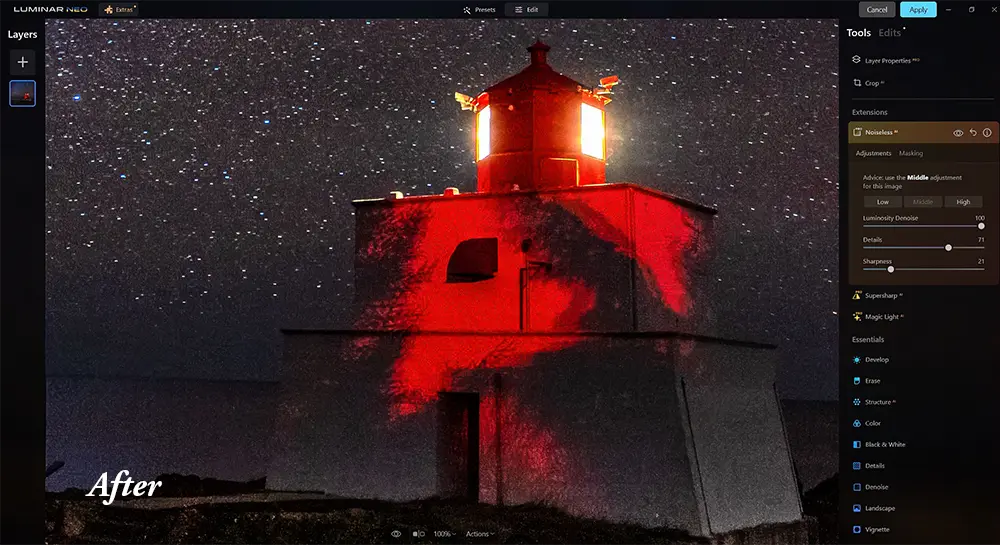
Luminar Neo’s Noiseless AI brings a remarkable advancement in noise reduction. The AI algorithm automatically detects the noise level in a photo and suggests three configurations – low, middle, and high – for its reduction.
With these advantages of Noiseless AI, Luminar Neo becomes a complete and useful tool for photographers.
Noiseless AI serves as a knight in shining armour amid the sky-stealing villain of noise in your photographs. This versatile noise removal tool shines brightly for photography enthusiasts looking to restore clarity, add colour depth, and reveal hidden details in their low-light marvels. The ease of operation is a cherry-on-top, making it the first choice for professionals and hobbyists alike.
Features:
Advantages:
In the world of imagery, Luminar Neo Noiseless AI emerges as a game-changer. Its easy-to-use interface ensures professional-level photo enhancements to beginners. If noise is your adversary, Luminar Neo is your knight in shining armour.
Benefits to you the user:
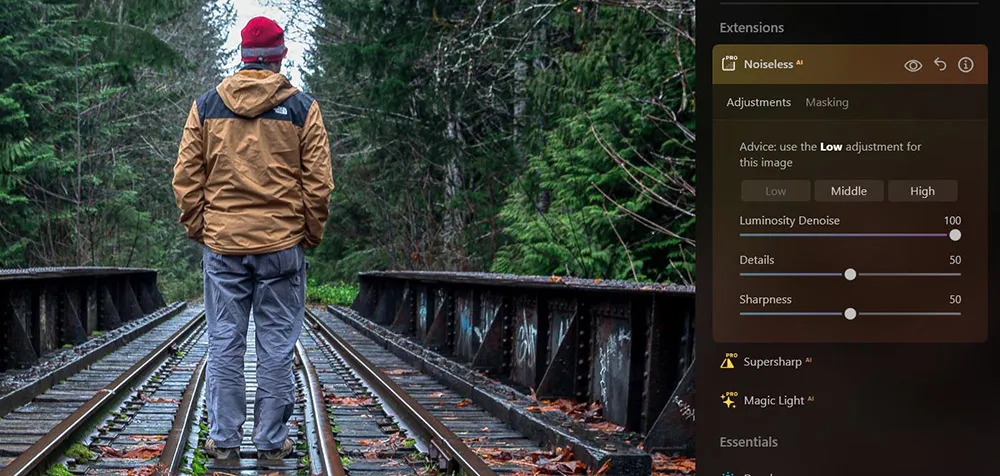
Let’s gallop through the frictionless process to enable Noiseless AI:
Using Luminar Neo Noiseless AI is a breeze. It offers three incredible noise reduction algorithms – Low, Middle, and High. Simply:
Play with each of the sliders to dial in the exact level if noise reduction.
Step four involves configuring the output settings for optimal results. This is done by accurately setting the Luminosity Denoise, Details and Sharpness sliders under the ‘Adjustments’ tab. Further customization is possible with the masking tab, allowing selective noise reduction on the photo. By correctly selecting these settings, the image’s details are preserved while noise is significantly reduced.
Perfect balance is obtained by testing and experimentation.
The fifth step in using Luminar Neo’s Noiseless AI involves expertly tweaking the details and sharpness sliders. Here are some quick steps for consideration:
In wrapping up the discussion around Luminar Neo Noiseless AI, it’s impossible to overlook the tool’s strong capabilities in noise reduction. This extension by Skylum Software brings AI-powered noise reduction to the table in a rather impressive way. The ease with which it removes noise while keeping the photo details intact is indeed commendable. Even compared to the established noise reduction tools like Topaz Denoise AI and ON1 NoNoise AI 2023, Luminar Neo Noiseless AI holds its own, particularly considering its relatively affordable price point of $69.
To delve deeper into what it offers:
However, even the best products have their drawbacks. The long render time is sometimes an issue, particularly for those working with older machines.
Despite these minor shortcomings, the benefits of using Luminar Neo Noiseless AI undeniably outweigh its disadvantages – especially for frequent users of Luminar Neo. Moreover, with consistent updates, it is highly plausible that the speed issue will improve over time. And let’s not forget the one-off fee and one-year update promise which definitely sweetens the deal.
The Luminar Neo Noiseless AI provides value for photographers wanting to reduce image noise in their photos, especially for those who already use Luminar Neo. So, in the grand scheme of things, we hold the flat-out verdict that Luminar Neo Noiseless AI is indeed a worthy investment.

The first time I went to the Medicine Bowls in Courtenay, it felt like a
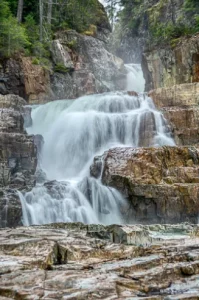
Lower Myra Falls is one of those places in Strathcona Park that feels far more
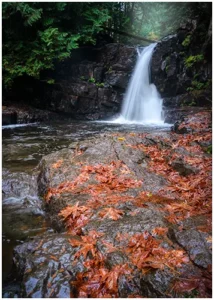
As a landscape photographer, I often find that waterfalls wrapped in mist and fog are